With a simple click of the mouse, this feature will convert any page module into an equivalent, non-module component, complete with generated source files and optional compiled binary files. Referred to as 'blackboxing', it allows control systems to be designed and maintained graphically, only to be quickly collapsed and compiled at will; thereby protecting intellectual property when models are distributed to clients.
In essence, PSCAD is (and always has been) a source code generator for the EMTDC simulation program. Both modules and standard (non-module) components are combined to form the source defining a structured, sequential program, which includes a unique set of subroutines to represent each module in the project. All components may possess a combination of parameters and ports. When module components are coded in Fortran, these ports and parameters are used to define the arguments for the corresponding subroutine. Non-module components combine to represent the body of the subroutine.
Beginning in and around 2011, requests for instructions on how to convert module components to equivalent, independent external source have noticeably increased. This trend involves using PSCAD module hierarchies to generate Fortran source (ex. a device controller). The generated Fortran is then manually manipulated to remove the internally dependent code required by PSCAD and EMTDC, thereby creating external source that may be called from within a standard component. This effectively conceals the graphical design of the circuit, hiding the contents within the external source. The source is normally compiled into an object (*.obj) file or static library (*.lib) before it is supplied to the client, providing protection for the provider’s intellectual property. The custom component may also be further customized to include a Branch segment to represent the electric network, plus ports and other required attributes – the end result being a fully ‘blackboxed’ version of the source module component.
Blackbox performs all the necessary steps required to convert a page module in PSCAD into a user-defined component, including compiled source code. The following functions are executed automatically:
Fortran Source Generation: PSCAD already generates Fortran source, however this code is written specifically to interact with EMTDC as part of the simulation project, and is not formatted to be used as independent, external source. Blackbox will generate Fortran source code specifically formatted to be used as an external file.
Automatic Object/Library file Creation: The option to compile the generated source file into an object file is provided. Note that if the module being blackboxed contains other modules within it, all object files created will be bound together into a static library.
Automatic Component Creation: A component definition and instance is created, based on the contents of the module hierarchy. This includes ports, parameters, graphics and script segments.
With any automated process, there are restrictions that must be adhered to before using the feature. These are explained below.
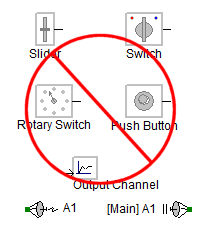
Runtime objects, output channels and radio links are not supported by the blackbox feature, and so therefore the module schematic cannot contain any of these components.
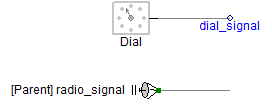
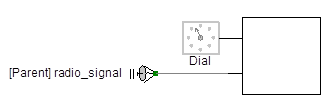
If the module you want to blackbox contains some or all of these components, then they must be removed and/or substituted by supported components. Input-based components, such as the slider, switch and dial, can be substituted in one of two ways: The preferable method is to move them out of the module so that their signal is passed via a port or parameter:
|
|
Inside Module Schematic |
Outside Module Schematic |
Note also that output-based components, such as radio link transmitters and output channels, must be removed completely before commencing with black boxing.
The module component you are blackboxing cannot contain any transmission lines or cables.

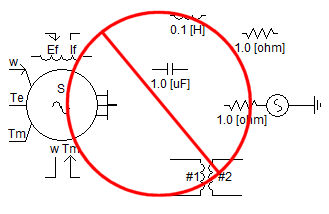
Presently, the blackboxing feature does not support any electrical components on the schematic (purely controls only). Future versions of blackboxing are expected to support electrical systems however.
There are a few application level options that may be adjusted to help customize how and where your blackbox is created. These can all be found within the Application Options dialog.
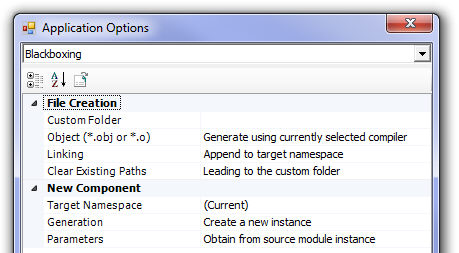
For details on the blackbox control options, see Blackboxing.