
The properties contained within the Simulation section provide some control over EMTDC operation.
The following input parameters can affect solution speed.
To account for inter-time step switching of switching devices (i.e. those components whose electrical conductance change during a run), the EMTDC Electric Network Solution uses a linear interpolation algorithm to solve at the exact switching instant. This is the default behavior of EMTDC and is essential for the accurate simulation of frequently switching devices, (such as FACTS models).
The Ideal Branch algorithm allows for zero resistances and true infinite bus voltage sources in EMTDC.
With this option enabled, you can create an infinite bus by either entering a value less than the threshold (set in the threshold field directly to the right of this check box) or 0.0 W for the source resistance. Similarly, for a zero resistance branch, enter a value less than the threshold or 0.0 W for the ON resistance of a diode, close resistance of a breaker, etc.
The default threshold value is preset to 0.0005 W. As this algorithm involves extra computations and so a non-zero value greater than this threshold is recommended, unless ideal like results are paramount.
The following input parameters are related to the detection and removal of numerical oscillations called chatter.
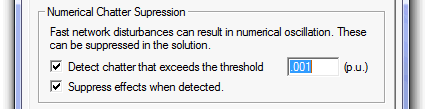
Chatter is a numerical oscillation phenomenon inherent to the trapezoidal integration method used in EMTDC, and is usually caused by sudden network disturbances (either voltage or current). EMTDC continuously looks for chatter and removes it if required.
An input field is included directly beside this option. Enter a threshold value for chatter detection, below which chatter will be ignored (the default is 0.001 pu).
When chatter is detected, a chatter suppression procedure is invoked if this option is enabled.
The following input parameters are important during the debugging process of your simulation project and are recommended for more advanced users. The information generated by these settings will appear under the Non-Standard Messages branch in the Runtime Messages Pane.
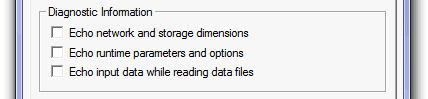
Prints network and storage array dimensions.
Prints runtime related options.