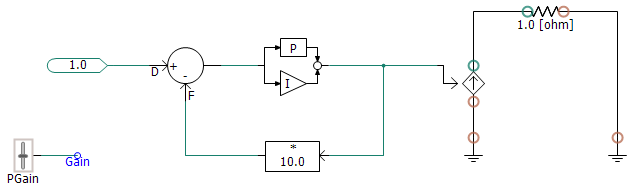
Similar to the Show Signals option, Show Terminals is another display setting in the Canvas Settings dialog. When this option is enabled, PSCAD will use icons placed on connections and wire termination points to allow for graphical determination of electrical terminal (node) type. In addition, icon colours are used to represent the signal type.
The icons used are listed below with explanations:
 Electrical Node/Terminal:
This symbol indicates that this connection point is classified as
an electrical terminal or node.
Electrical Node/Terminal:
This symbol indicates that this connection point is classified as
an electrical terminal or node.
Colour Legend:
Active
Ground
Removed
Isolated