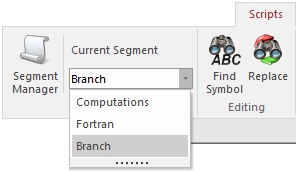
Edit the component definition and in the Script section, navigate to the Branch segment.
Add statements that define the electrical properties of the component for use by EMTDC.
This branch is to be purely resistive, just to keep things simple. Due to the fact however that the Resistance parameter is of Constant-type, its actual value will be initialized when coding the component (see the next section). For now, we simply need to add a non-zero value (i.e. 1.0) in the branch statement to indicate the presence of a resistor. If it was decided earlier to declare the Resistance parameter as Literal-type, then its value could be substituted directly into these branch statements (i.e. instead of 1.0, it would be $R).
#IF gnd == 1 BRN = $NA $G SOURCE 1.0 0.0 0.0 #ELSE BRN = $NA $NB SOURCE 1.0 0.0 0.0 #ENDIF |
Conditional script directives (#IF, #ELSE, etc.) are added as well, so that the branch will be defined between NA and NB or NA and G, depending on the condition of the Is this source grounded? choice field. For example, if Is this source grounded? is selected as Yes (i.e. gnd = 1), then the branch will be defined between nodes NA and G.
In addition to indicating that a resistor defines part of the branch between NA and NB or NA and G, we have also indicated that an ideal voltage source is present. This is accomplished through the SOURCE statement above. We have also given the branch a variable name BRN. This enables EMTDC to map the location of this branch in the electric network, so that the source can be controlled (the usage of BRN will become clear in the next section).
For more information on branch naming and the SOURCE syntax, see Branch segment.