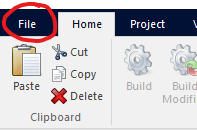


Left-Click the File Tab
Click New
Set the Namespace (Case Project Name) as 'Tutorial'
Double-Click the New Case Icon
...Or, Select the New Case Icon and Click the Create Button
Create a new case project, save it under a unique name (say Tutorial).
|
|
|
|
|
Left-Click the File Tab |
Click New |
Set the Namespace (Case Project Name) as 'Tutorial' |
Double-Click the New Case Icon |
...Or, Select the New Case Icon and Click the Create Button |
Edit the project settings and add a description.

At this point you may want to save the workspace, although it is not necessary for this tutorial.
Create a new component using the Component Wizard.
|
Invoke the Component Wizard |
