Running Simulation Sets
Running a Single Set
Running All Sets
Running simulation sets can be accomplished in several different ways.
Running a Single Set
To run an individual simulation set, perform one of the following:
- Right-click on the Simulation Sets branch and select Run, then select the name of a defined simulation set.
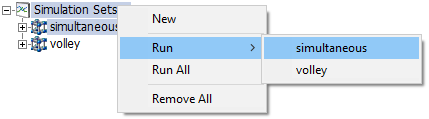
- Click the Run button drop list in the ribbon control bar, then select the name of a defined simulation set.

- Right-click on a simulation set and select Run.

Running All Sets
Simulation sets will run in sequence from first to last, if all are run. To run all simulation sets, perform one of the following:
- Right-click on the Simulation Sets branch and select Run All.

- Click the Run button drop list in the ribbon control bar, then select the name of a defined simulation set.

See also:
Running a Single-Project Simulation