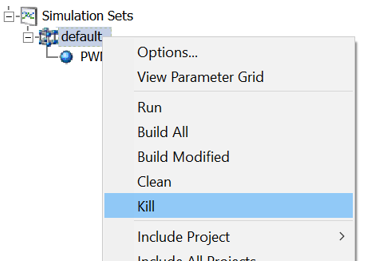
Sometimes, following a simulation set stop command or failed or crashed simulation task, the associated process can remain alive, running in the background. This can cause annoyances, such as chewing up processor cycles and slowing down the local environment. Instead of having to track down and kill these processes manually, one at a time, a Kill command is available, which hunts down any rogue processes and kills them. This will be done regardless of whether they were started by the current instance of PSCAD or not.
To kill all live processes related to a simulation set, right-click on the set and select Kill.
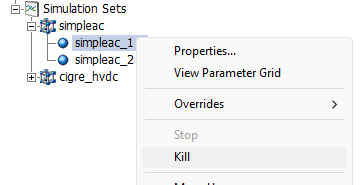
To kill an individual simulation task, right-click on the task and select Kill.
See also: