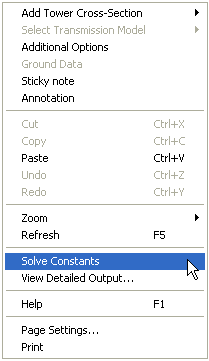
To manually solve a specific transmission line or cable segment in your project, first open the Transmission Segment Definition Editor (see previous section for instructions if needed).
Right-click over a blank area of the canvas and select Solve Constants:
NOTE: When manually solving a transmission segment, check the Log file (by clicking the Log tab) to ensure that the line was properly solved. Along with other logged text, any errors issued by the LCP will be displayed in this file.