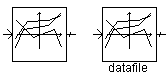
This component performs the function of several XY Transfer Function components, with a common set of data for X. The component can be configured to extract data from an external ASCII file, or from a table parameter entered within the component itself.
|
More: |
|
Name for Identification |
Text |
Optional text parameter for identification of the component. |
||
|
Data Source |
|
Choice |
|
Select Table or External File. |
|
|
|
|
|
|
|
File Name |
|
Text |
|
Name of the external file. Enabled only if Data Source | External File is selected. |
|
|
|
|
|
|
|
Pathname to the Datafile is Given As |
|
Choice |
|
Choose relative pathname or absolute pathname to the external file. Enabled only if Data Source | External File is selected. |
|
|
|
|
|
|
|
Data Table |
|
Table |
|
Table of source data. Enabled only if Data Source | Table is selected. |
|
|
|
|
|
|
|
Number of Effective Rows |
|
INTEGER |
Literal |
Enter the number of points for all data series (i.e. the number of effective rows). The maximum is 10. |
|
|
|
|
|
|
|
Number of Columns |
|
Choice |
|
Select between 2 and 11. The number of columns represents the number data series (i.e. Y data sets) to be used. |
|
|
|
|
|
|
|
When input is between 2 data points, use |
|
Choice |
|
Select use interpolation or nearest data point. If use interpolation is selected, the actual Y-value will be approximated using linear interpolation (most accurate). |