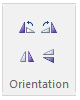
Once added, single or multiple objects can be rotated, flipped or mirrored:
Hotkeys: Select the object and press the r, f or m to rotate, flip or mirror respectively. See Keyboard Shortcuts.
Right-Click Menu: Right-click over the object and select Rotate or Flip. Select the desired option from the resulting sub-menu.
Components Bar: Select the object or group of objects and then press one of the four Orientation buttons in the Components ribbon tab.