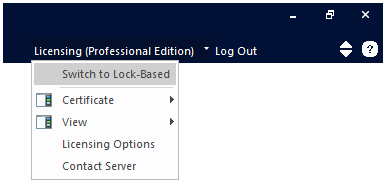
Certificate
Switch
to Lock-Based
Certificate
View
Licensing
Options
Contact
Server
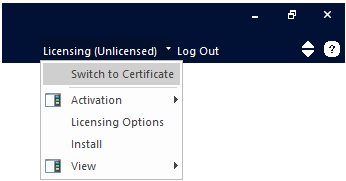
The Licensing Menu can appear
in two forms: Certificate and
Lock-Based,
depending on what type of licensing you are setup for. This topic describes
the Certificate menu.
Switch to Lock-Based
Select this option to switch to the lock-based
licensing menu.
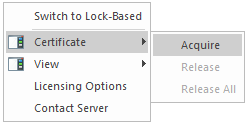
Certificate
This menu is used to either Acquire
or Release a certificate.
View
Some options to view licensing details are presented in this menu:
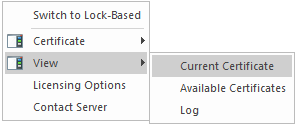
- Current
Certificate: View details about the currently acquired certificate.
- Available
Certificates: Brings up a list of certificates presently available
to you.
- Log:
Opens the License Manager
log file (PscadLmgr.txt).
Licensing Options
Select this option to invoke the Licensing
Options dialog:
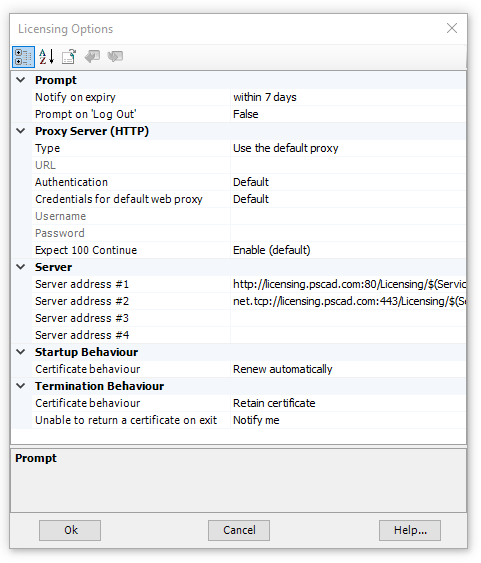
Prompt
- Notify
on expiry: Specify desired notification time.
- Prompt
on 'Log Out': Display a warning message when logging out.
Proxy Server (HTTP)
- Type:
Licensing can contact the server, using the default Internet
Explorer proxy settings (if configured), or using a user specified
proxy
- URL:
Enter the address:port of your network proxy if it is different than
the Internet Explorer default proxy. Examples: http://SomeNet.com:8080/
, http://10.1.1.1:80/
- Authentication:
Select the authentication method employed by your proxy server.
Select Default if unknown.
- Credentials
for default web proxy: Select Default if your proxy uses the
same credentials as the Internet Explore proxy (if used), None if
no credentials are used, or Windows if your proxy uses your Windows
login credentials.
- Username:
Enter the username required by your proxy server for authentication.
Leave blank if not required.
- Password:
Enter the password required by your proxy server for authentication.
Leave blank if not required.
- Expect
100 Continue: This behavior is supported by most HTTP proxy
servers. Disable this behaviour if you encounter (417) Expectation
Failed warnings.
Server
- Server
address #: Enter the full address # of the Certificate
License Manager.
Startup Behaviour
- Certificate
behaviour: Select to renew license certificate automatically
on startup.
Termination Behaviour
- Certificate
behaviour: On exit, the active certificate can be retained
for further use on this machine, or returned to the server for use
on another machine.
- Unable
to return certificate on exit: If you are unable to return
a certificate when closing PSCAD, then it will not be available to
other users.
Contact Server
Select this option to contact the licensing server.