Adding/Modifying Global Substitutions
Utilising Global Substitutions
Associating Global Substitutions with a Simulation Set
Global substitutions provide a means to substitute predefined, constant values globally throughout a project or in the context of a simulation set task. A global value can be substituted at any level within a project module hierarchy, and is done so by substituting directly within component input parameters. Once a global substitution is defined, it's name can be inserted into any component input parameter; its value will be substituted by the PSCAD compiler when the project is built.
Component input parameters containing global substitutions will be preprocessed before their value is used within the component code (or canvas, if a module). From the perspective of the component, the input parameter appears exactly as if the user entered the data directly.
To view any global substitutions that are already defined for a particular project, simply invoke the Global Substitutions pane. This can be accomplished by one of the following methods:
Press Ctrl + g on your keyboard.
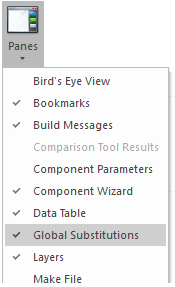
Click the View tab in the ribbon control bar, select the Panes drop-menu and select Global Substitutions.
The global substitutions pane:

Before adding or modifying a global substitution, first invoke the Global Substitutions pane by one of the methods outlined in Viewing above.
To add a new global substitution, click the Add New Global Substitution button, or right-click on the pane and select New.
|
|
|
|
Add New Global Substitution Button |
Context Menu |
A new row will appear on the table, including a Name and a Value cell. Double-click on either to enter the global substitution name and value. For example, say two substitutions that represent system frequency and transmission line length (called f and length) need to be added, with values 50 Hz, and 100 km respectively:

Note: The value is treated as a string, which must conform to the parameter input formatting rules— the same rules that apply if you were to enter the value directly. This includes using the brackets '[]' to enclose the unit.
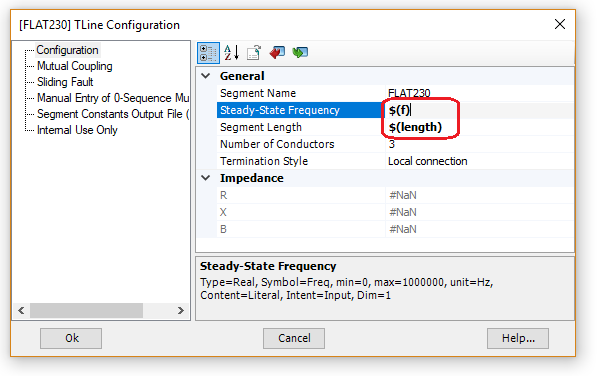
To utilise these substitutions, enter either of the keys in the appropriate component input parameter field.
The syntax for using a global substitution when entering into a component parameter field is as follows:
$(<Name>)
The substitution contains an item <Name>, where:
<Name>: Global substitution name.
|
|
|
Entering f and length in Transmission Line Configuration Dialog |
New to PSCAD V5, global substitutions are no longer limited to being confined for singular use within the context of a project, but may also be associated to a particular simulation set. To do so, click the All button in the global substitutions pane.
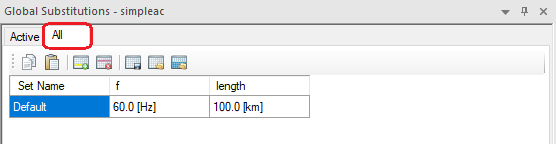
By default, a single substitution set of values (or substitution set) will appear, based on the list of global substitutions under the Active tab. Substitution sets are associated to a simulation set via the Set Name field: All that is required is that this name match the name of the simulation set.