Starting with PSCAD v5.1.0, EMTDC by default will run unfettered to PSCAD. That is, EMTDC is not obligated to wait for PSCAD to process data it sends back for plotting, etc., before proceeding to the next time step. This can greatly enhance the simulation speed, and along with other speed optimisations, helps EMTDC to run faster than it ever has before, especially for very parallel simulations.
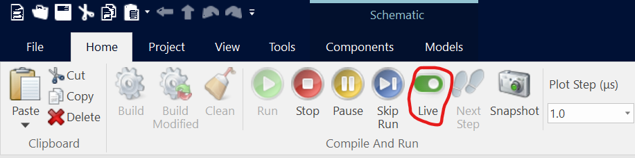
The only instance where perhaps EMTDC running ahead would not be desired is when there is a necessity to manually modify online controls during the simulation, such as sliders and switches, where it is important for PSCAD to be in sync with EMTDC, so that the manual control signal variations occur at the proper time. As such, a means to disable EMTDC running ahead is provided in PSCAD via a ribbon button called Live.
To select EMTDC to run in Live mode with PSCAD (i.e. in synchronisation), simple enable the Line switch in the ribbon control bar:
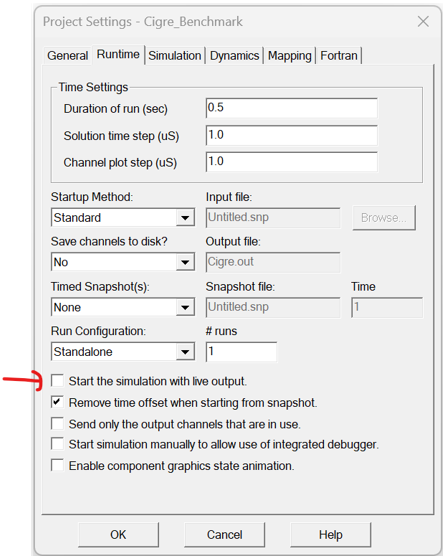
Note that the Live setting is also a project setting, that can be saved as always on: