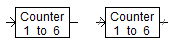
The counter component will alter its state to the next 'higher' state when it receives a positive value at its input. When it receives a negative value, it will alter its state to the next 'lower' state. Generally this means increasing or decreasing its output by one.
If the counter is at its upper (lower) limit, and receives a signal to count up (down), one of two things may happen. The first is that the counter ignores the request, and does nothing: Limit Type | Sticky. The second is the counter alters its output to the lower (upper) limit: Limit Type | Circular.
There is also an option for resetting the counter to its initial value.
Name for Identification |
Text |
Optional text parameter for identification of the component. |
||
Lower Count Value |
|
INTEGER |
Constant |
The lowest value the counter may obtain |
|
|
|
|
|
Upper Count Value |
|
INTEGER |
Constant |
The highest value the counter may obtain |
|
|
|
|
|
Initial Value |
|
INTEGER |
Variable |
This is the value the at which the counter begins (or is reset to) |
|
|
|
|
|
Limit Type |
|
Choice |
|
Select Sticky or Circular. See Description above for more |
|
|
|
|
|
Resettable? |
|
Choice |
|
Select Yes or No |
|
|
|
|
|
Fortran Comment |
|
Text |
|
An optional Fortran comment. The text entered here is included in the project Fortran file |
|
|
|
|
|
Dimension |
|
INTEGER |
Literal |
Enter the dimension of the input/output signals. |