

Automation Library
The PSCAD Automation Library (AL) was developed in Python to interface with PSCAD and is available to all licensed users of PSCAD at no additional cost.
This library interface allows users to call PSCAD functions from a custom script as follows:
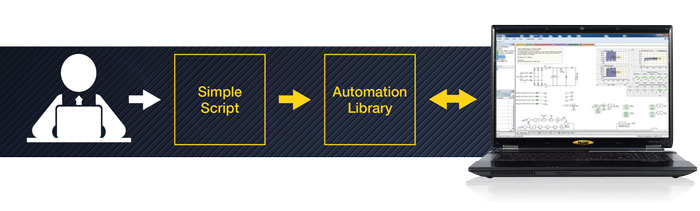
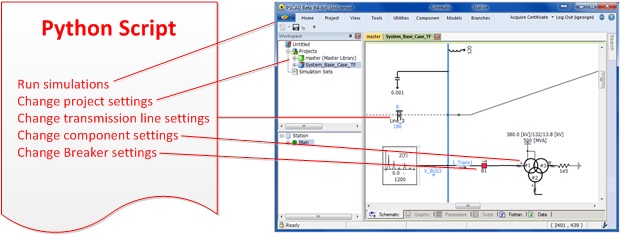
A simple user-created Python script can provide full control over the PSCAD program and the projects themselves. Some features that may be scripted include:
- Starting PSCAD;
- Loading workspaces, projects, and libraries;
- Running simulations;
- Batch running more than one simulation at a time;
- Changing workspace and project settings;
- Changing component parameters;
- Changing transmission line and cable parameters;
- Organizing output data;
- Generating simple reports.
Compatibility
- Windows operating system 64-bit (Vista SP1 or later) with an internet connection;
- PSCAD version 4.6.1 and later.
Resources
Downloads and documentation are as follows:
PSCAD V5:
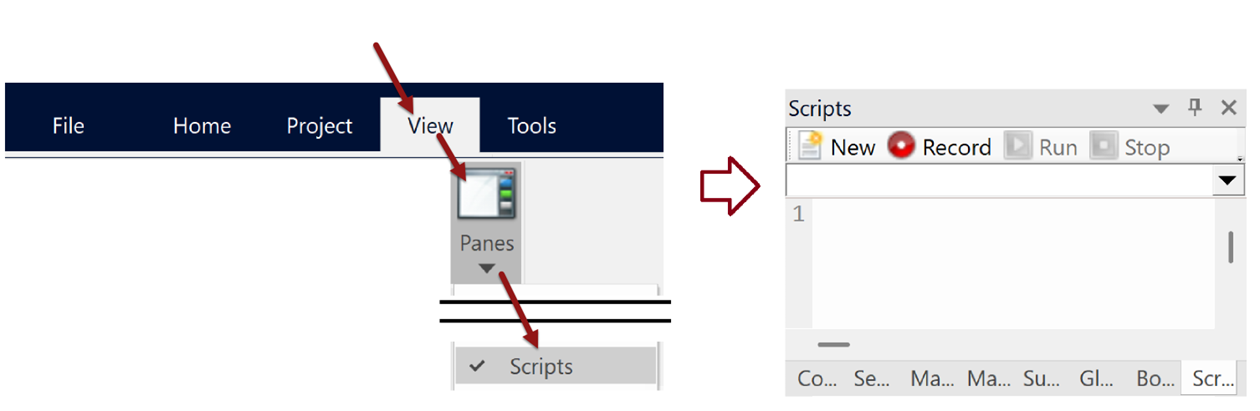
- Internal Scripting Within PSCAD: Python and the Automation Library used for internal scripting are installed automatically alongside PSCAD V5, and accessed within the “Scripts” pane.
- Scripting Externally to PSCAD: Python and the Automation Library used for external scripting are optional to install:
- Alongside the PSCAD V5 Installer: The user is prompted whether to select them during the PSCAD V5 installation.
- Separately:
Python: Download and install from this link -Download Python | Python.org
Automation Library (PSCAD V5 must be installed already):Option 1 – Run the following command in Command Prompt/PowerShell:
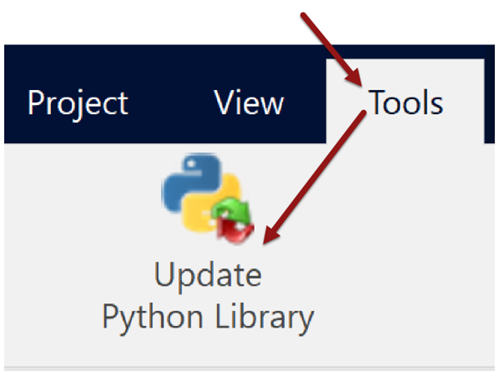
py -m pip install --user --upgrade mhi.pscadOption 2 – In v5.1+, automatically install or upgrade the Automation Library using the "Update Python Library" tool:
- Alongside the PSCAD V5 Installer: The user is prompted whether to select them during the PSCAD V5 installation.
- Help Files: https://www.pscad.com/support/support-resources
PSCAD X4:
Need Help?
For over 35 years, we have been committed to providing the exceptional level of technical support that you are accustomed to. Our PSCAD Technical Support Team is composed of over 20 dedicated engineers who are ready to assist you. Please contact us at support@mhi.ca.